 JustList
 Short answer: For a single, straightforward flat-panel mount you should plan for roughly $118-$225 for professional installation, with many homeowners paying around $160. Very simple jobs can be as low as about about $76, while complex installs with in-wall wiring, heavy brackets or masonry walls can approach about $375.
What that planning range usually includes-and what it doesn’t
When a pro quotes a single-TV wall mount in the range above, the baseline job typically covers the technician’s time to: locate studs or appropriate anchors, attach the mounting plate to the wall, mount the TV and bracket, level and test the screen, and tidy up basic debris. Some installers also reconnect simple HDMI or power cords and confirm the TV turns on and receives signal.
Common exclusions you should confirm up front:
- Concealing cables inside the wall or cutting/patching drywall.
- Installing a new in-wall power outlet or moving existing electrical outlets.
- Running long HDMI/Fiber runs to a different room or behind thick masonry.
- Installing specialty mounts (heavy cantilever articulating arms, motorized lifts) or reinforcing walls for unusually heavy TVs.
- Extensive A/V setup, calibration, or integrating a receiver, soundbar, or distributed audio system.
How pros commonly charge
There are three pricing models you’ll encounter most often:
- Flat per-job pricing – A set fee for one TV, often quoted for standard installs. This is convenient when the scope is well defined.
- Hourly rates – Typical for handymen or jobs with unknown complexity. Look for a stated minimum charge for the first hour or visit.
- Package pricing – Useful for multiple TVs, home theater installs, or bundled A/V services. Packages might include mounting, basic cable routing, and connecting components for a single sum.
Ask any pro whether their flat price includes travel, small hardware (screws/anchors), and a standard level of cleanup. If they charge hourly, verify the minimum and how they round time (by the minute, 15-minute increments, or full hours).
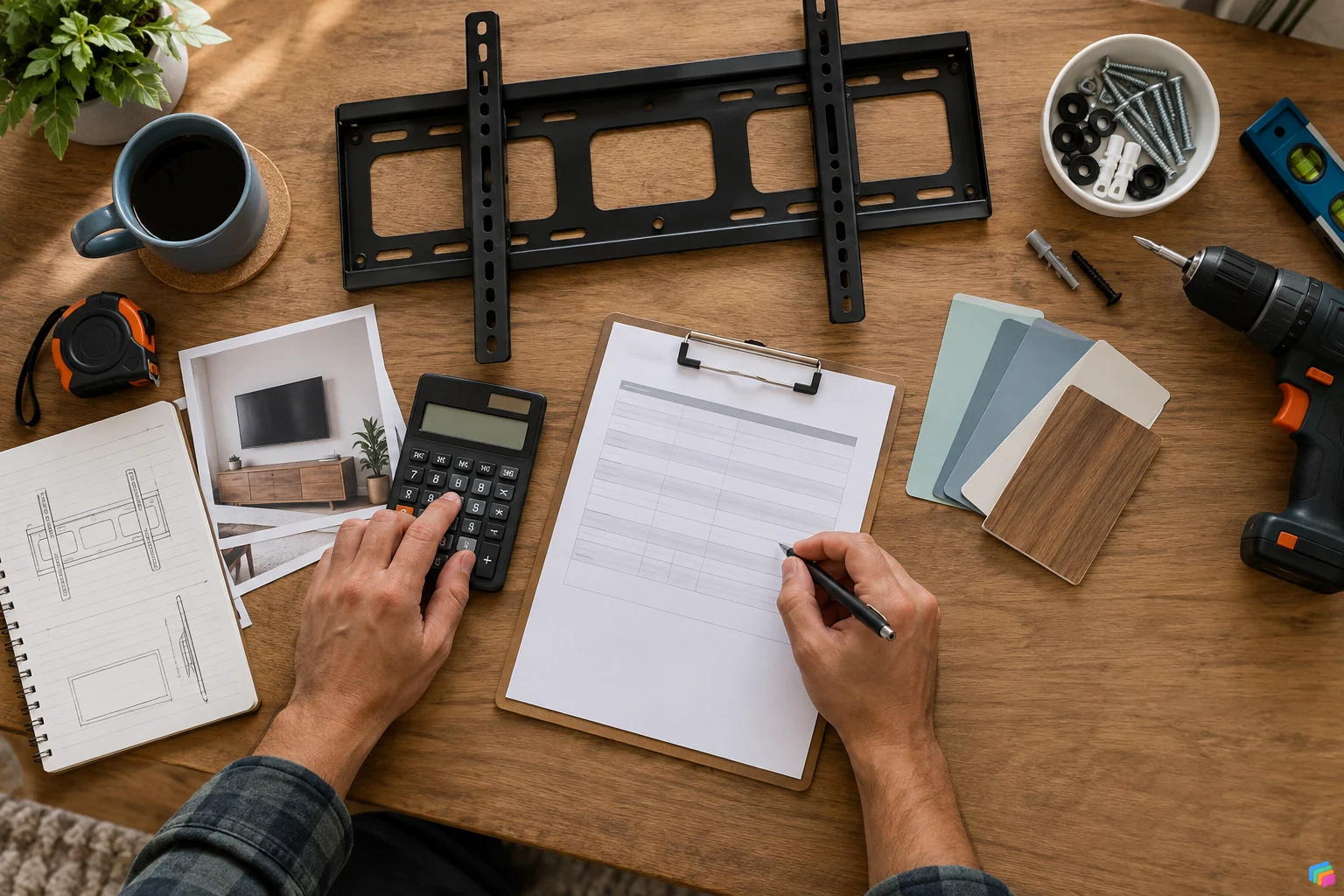
Major cost drivers
Mount style
Fixed mounts (the TV sits close to the wall) are the quickest to install and generally the least expensive. Tilting mounts add some labor because the bracket has extra components and requires careful leveling. Full articulating or heavy-duty mounts take longer to install and tune; they require sturdier fasteners and sometimes wall reinforcement.
TV size and weight
Large screens and heavier models increase the difficulty and safety requirements. Installers must use properly rated hardware and often a two-person lift for bigger panels. Some pros set pricing bands by weight class; others keep a flat price but will increase it if the TV falls into a heavier bracket.
Wall construction
Drywall over studs is the easiest surface. Plaster, masonry, concrete, and brick require specialty anchors, masonry bits, and more time. If the installation requires drilling through brick or anchoring into concrete, expect a tougher, slower job and a higher charge.
Power and cable management
Leaving power and HDMI visible is the fastest and cheapest choice. Concealing cables inside the wall or installing an in-wall power kit and outlet adds complexity because it may require an electrician, drywall cutting/repair, and adherence to local electrical codes. Some installers will do low-voltage cable routing without an electrician, but household power always calls for a licensed electrician.
Access and location
High mounting positions, vaulted ceilings, or tight spaces behind furniture require ladders, scaffolding, extra hands, or special lifting tools. Outdoor mounts add weatherproofing and sealing considerations. Travel distance and parking complexity can also increase costs.
Existing equipment and integration
If you want the installer to hook up multiple components, hide or reterminate cables, mount a soundbar underneath the TV, or pair the TV with a receiver, expect a higher rate for the extra time and technical skill.
Common add-ons and what to expect
Rather than precise dollar amounts for every service, it helps to know which extras commonly increase the bill and by how much relative to a basic install:
- In-wall cable concealment and outlet installation – substantially increases scope: may involve electricians and drywall repair.
- Articulating or heavy-duty brackets – noticeably more labor than fixed mounts because of alignment and stronger anchors.
- Soundbar or AV component mounting and wiring – adds time for alignment and cable management.
- Masonry or concrete walls – needs specialized tools and anchors and almost always costs more than drywall installs.
- Multiple TVs or a home theater package – often more cost-effective when bundled, but the overall job complexity increases.
How to control your budget
- Buy the bracket yourself – If you already own the right mount, tell the installer. Labor only is almost always cheaper than a vendor who bundles hardware into the price.
- Choose a fixed mount – If you don’t need tilt or full motion, a fixed mount saves labor time.
- Accept cord covers instead of in-wall wiring – Paintable surface raceways are cheaper and quicker than in-wall solutions.
- Bundle jobs – If you need multiple TVs mounted, ask for a package rate; many pros give a per-unit discount for multiple installs in a single visit.
- Be ready on schedule – Clear the area and have the TV and mount accessible so the technician can work efficiently and avoid overtime charges.
- Schedule during off-peak times – Some providers offer lower rates on weekdays or non-holiday periods.
- Get multiple estimates – Compare not just price but what’s included, travel fees, and workmanship guarantees.
How to compare quotes: a short checklist
- Is the price labor-only or does it include hardware? Ask for an itemized estimate.
- Does the quote include travel time or a separate trip fee?
- How does the pro plan to attach the bracket (to studs, blocking, or hollow-wall anchors)?
- Are cords hidden in-wall or run externally? If in-wall work is proposed, will an electrician be used?
- What is the arrival window and the expected duration of the job?
- Does the installer carry liability insurance and workers’ compensation?
- Do they provide a workmanship guarantee or warranty on labor and parts?
- Will the installer bring the correct fasteners for your wall type and TV weight, or do you need to supply hardware?
- How will they protect floors and furniture during the install?
Questions to ask before you hire
- Have you mounted my TV model and size before? Can you show photos of similar installs?
- What mounting hardware will you use, and is it rated for my TV’s weight and VESA pattern?
- Will you mount to studs or use specialty anchors? If studs aren’t in the right spot, what reinforcement do you recommend?
- Do you handle low-voltage cable routing and in-wall power, or do you subcontract electricians?
- What is your cancellation and refund policy for deposits and rescheduling?
- Can you provide an itemized written estimate and confirm the total cost before starting?
Red flags to watch for
- Too-good-to-be-true prices: Extremely low quotes that skip a written estimate are a warning. Cutting corners on fasteners, anchors or safety is dangerous with heavy TVs.
- No insurance or license details: If a pro won’t provide proof of insurance, decline-liability for damage or injury can fall to you otherwise.
- Vague scope or verbal quotes only: Always get the job scope in writing so there are no surprises about what’s included.
- Refusal to inspect the site for complex installs: Jobs that involve masonry, high ceilings or hidden wiring should be surveyed in person before a final price is given.
- Pressure to use their hardware or extras without explanation: It’s fine for a pro to recommend parts, but insist on an itemized price for parts vs labor.
Sample budgeting framework and decision checklist
Use this quick decision flow to pick the right service level for your needs:
- Minimal setup: Small TV, drywall, visible cords acceptable – expect near the low end of planning range.
- Standard setup: Mid-size TV, fixed or slight tilt, cord management visible or surface raceway – budget around the typical or median figure.
- Enhanced setup: Large TV or tilt/articulating bracket, in-wall cable concealment, soundbar or AV hookup – plan toward the high end of the range and expect specialist labor or electrician time.
Before you book, check off these items so you know what level of service you want:
- Decide if cords can be visible or must be hidden in-wall.
- Choose mount type (fixed, tilt, full motion) and buy the bracket if you prefer.
- Confirm wall type and whether reinforcement is likely needed.
- List components that need to be connected (soundbar, receiver, cable box).
- Gather TV make/model and weight to share with pros for accurate bids.
Final notes and how to use this guide
This guide offers general planning ranges and practical questions to help you get fair, comparable TV-mounting quotes.
Important:
When in doubt, ask potential installers for photos of similar jobs, proof of insurance, and a written scope of work. A clear estimate and open communication are the best ways to avoid surprises and ensure your TV is mounted safely and securely.
Pricing note: The figures in this guide are approximate planning ranges compiled from publicly available sources. We aim to keep this article current and use JustList marketplace statistics as they become available. Actual local quotes vary with scope, timing, materials, travel, taxes, and provider availability.
JustList can help you discover and compare local professionals.







 Scan to download